
Hi everyone, it has been a while since my last blog post with the first part of MAM for Windows app and if you haven’t read it yet, make sure to do so here: MAM for Windows app on iOS/iPadOS (Part 1) – Everything Digital Workplace (stoked4workplace.com)
But since Microsoft came up with the wonderful news of Windows app going GA for all OS platforms(Windows App now available on all major platforms – Windows IT Pro Blog (microsoft.com), it’s a good time to wrap up this topic with Part 2 of this topic to give you some additional guidenance and some considerations on assigning the MAM Policies in a right way (especially if you have the need to assign different policies on business vs. private/personal(unmanaged) devices.
Let’s get started with the creation of necessary filters for our approach.
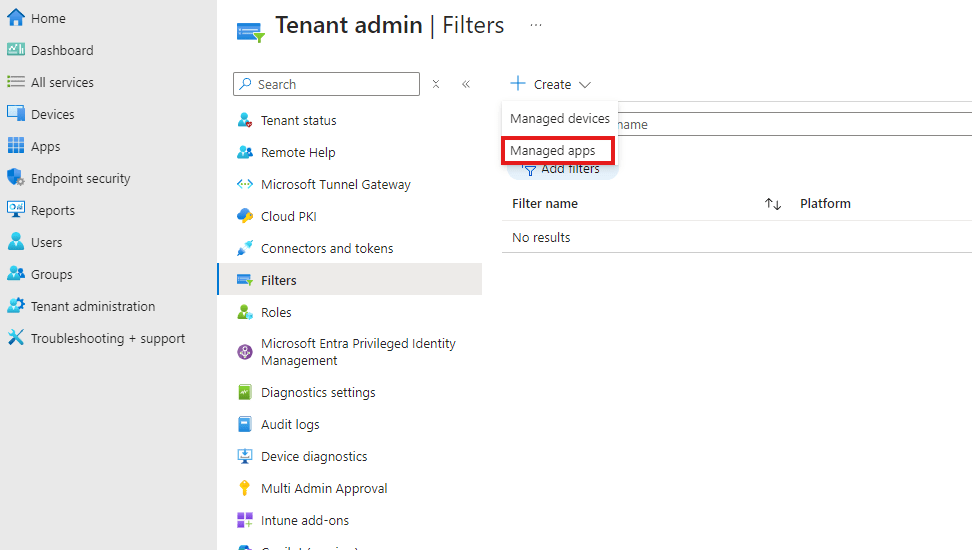
In Intune go to Tenant administration -> Filters -> Create -> Managed Apps
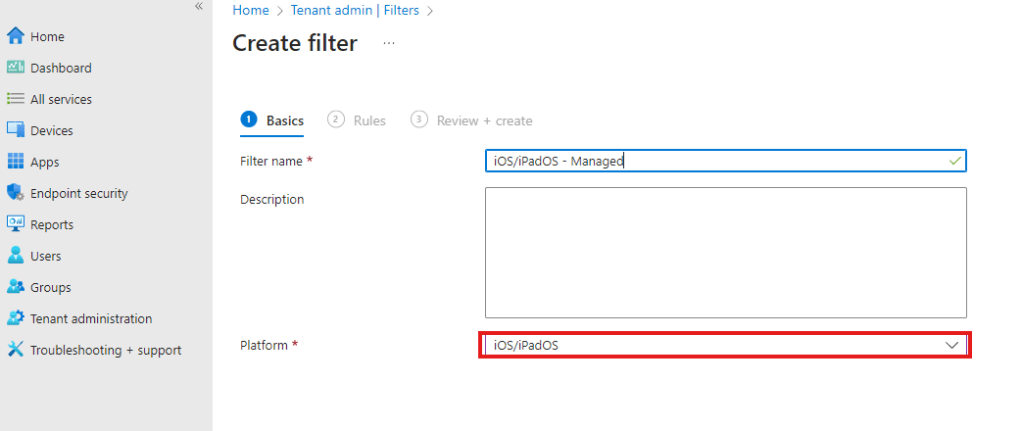
Let’s give it a name and select iOS/IpadOS as Platform. Here we’ll create our filter for managed iOS/iPadOS
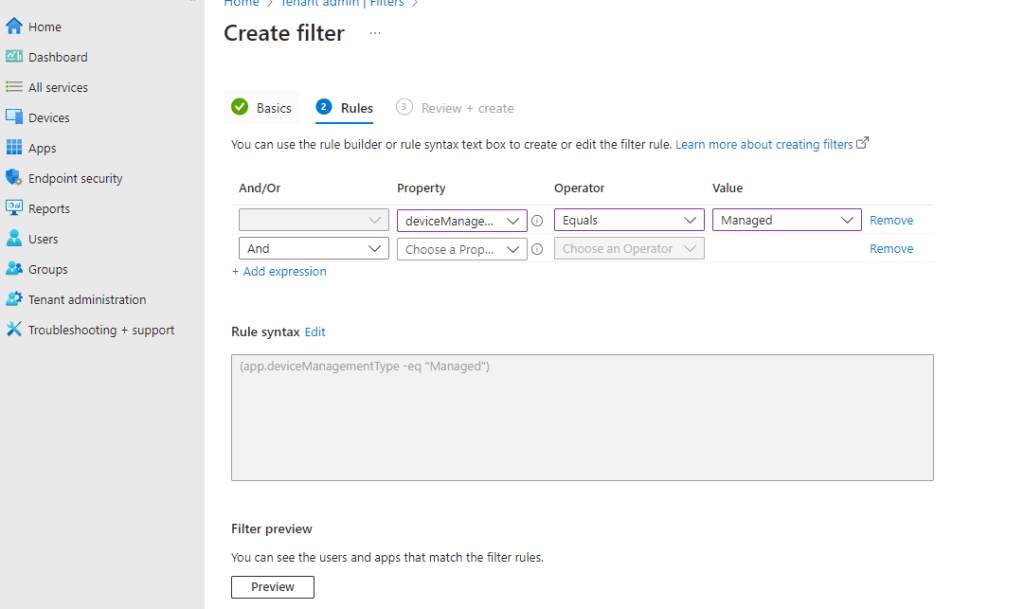
Now, let’s add the right expression to be able to filter for Managed devices only.
Now we can create two different app configuration policies for our needs (refer to the rist part where I described how to create the policies: https://stoked4workplace.com/2024/08/20/mam-for-windows-app-on-ios-ipados-part-1/
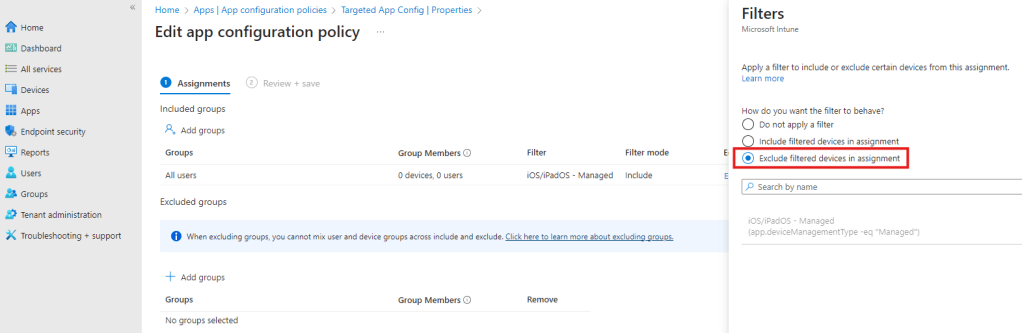
Once you have your configuration policies in place let’s take care of the assignment. Select your policy for managed devices and make the assignment with the filter we created before as an inlcude

Now you could do the same with your second policy which has configurations for unmanaged iOS/iPadOS (for example block file redirection, clipboard redirection etc. on unamanged endpoints). In this case make sure to apply the filter with an exclude
Conclusion
For me this is a great option to make the Windows App available on all endpoint (managed and unmanaged) by making sure to keep our security policies in place and apply different configuration policies.
In my case I want to not restrict anything on managed devices, however want to make sure clipboard and file redirection is restricted on unmanaged devices. App configuration policies combined with filters provide great flexibility and can also be easily bundled with conditional access rules if you wish to strengthen your security posture here even more. Thanks for reading and have fun with filters 😉




 Everything Digital Workplace
Leave a Reply